 Proton Safe
PROTON MAIL × YOUR AI ASSISTANT
Find the email.
Prepare the reply.
You press send.
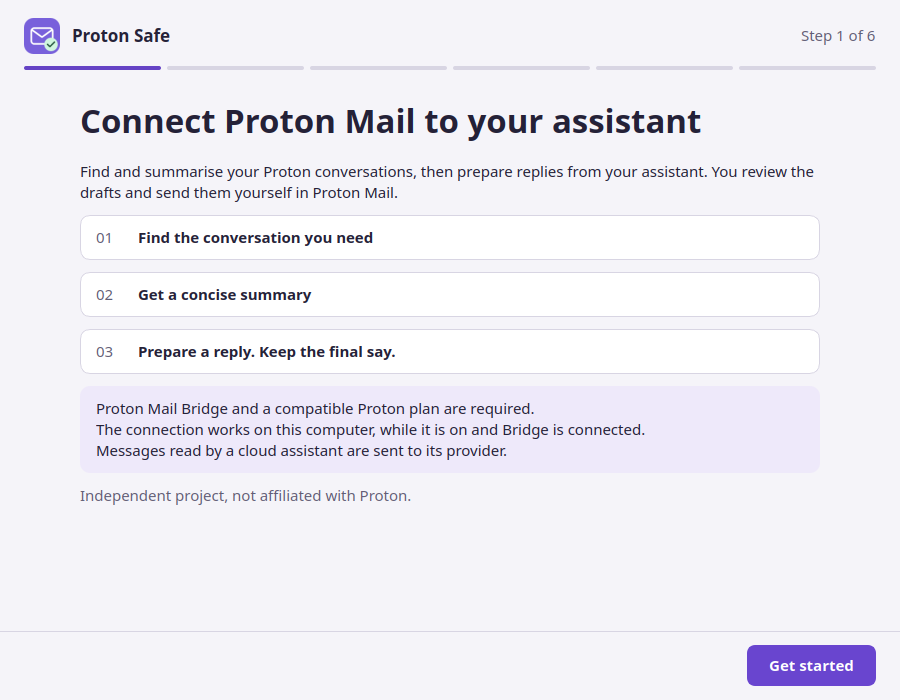
Connect Proton Mail to your assistant to find conversations, summarise what matters and prepare drafts. Set it up with a guided desktop app.
Published by François Bossière, an independent project, free and open source on GitHub.
Requires Proton Mail Bridge, a compatible paid Proton plan and local ChatGPT desktop / Codex.
FROM INSTALLATION TO FIRST USE
A little setup. A useful connection.
Bridge and your assistant run on the same computer. Proton Safe connects them.
Install the app
Open the downloaded installer, then launch Proton Safe from your applications. Python is already bundled.
Installation guideConnect with Bridge
Use the address and password generated by Bridge. Review the proposed changes before activating your assistant.
See the setup stepsTry a real question
Find an exchange, ask for a summary, then prepare a reply. You confirm the draft and send it yourself in Proton Mail.
Your first three requests
BEFORE YOU CONNECT
Clear about your mail.
A local connection does not mean your AI runs locally.
Read the security modelThe Bridge password stays in your keyring
The setup app stores the Bridge password in your computer’s session keyring. Use the password generated by Bridge, not your Proton account password.
Read messages can reach your AI provider
When your assistant uses a cloud model, the mail content it reads is sent to that provider. Choose what you ask it to read accordingly.
Sending stays with you
Proton Safe can create confirmed drafts. It has no tools to send, delete or move messages. Email is still untrusted input; these limits do not eliminate all AI risks.
HELP SHAPE THE NEXT VERSION
Try it on one useful task.
Can you install it, find an exchange and prepare a useful draft? Tell us what helped and where you got stuck, without sharing your mail.